Build a smart playlist
You will: make a playlist that holds every track in a chosen key above a minimum BPM, and keeps itself up to date.
Create whole categories automatically
To build lists for artists/remixers, BPM ranges, release months and energy, genres or compatible keys, opt in under Settings → Smart Playlists. CueRithm creates them and adds new groups as prepared tracks arrive. See Automatic Smart Playlists. Use the steps below for your own custom conditions.
1. Choose the type
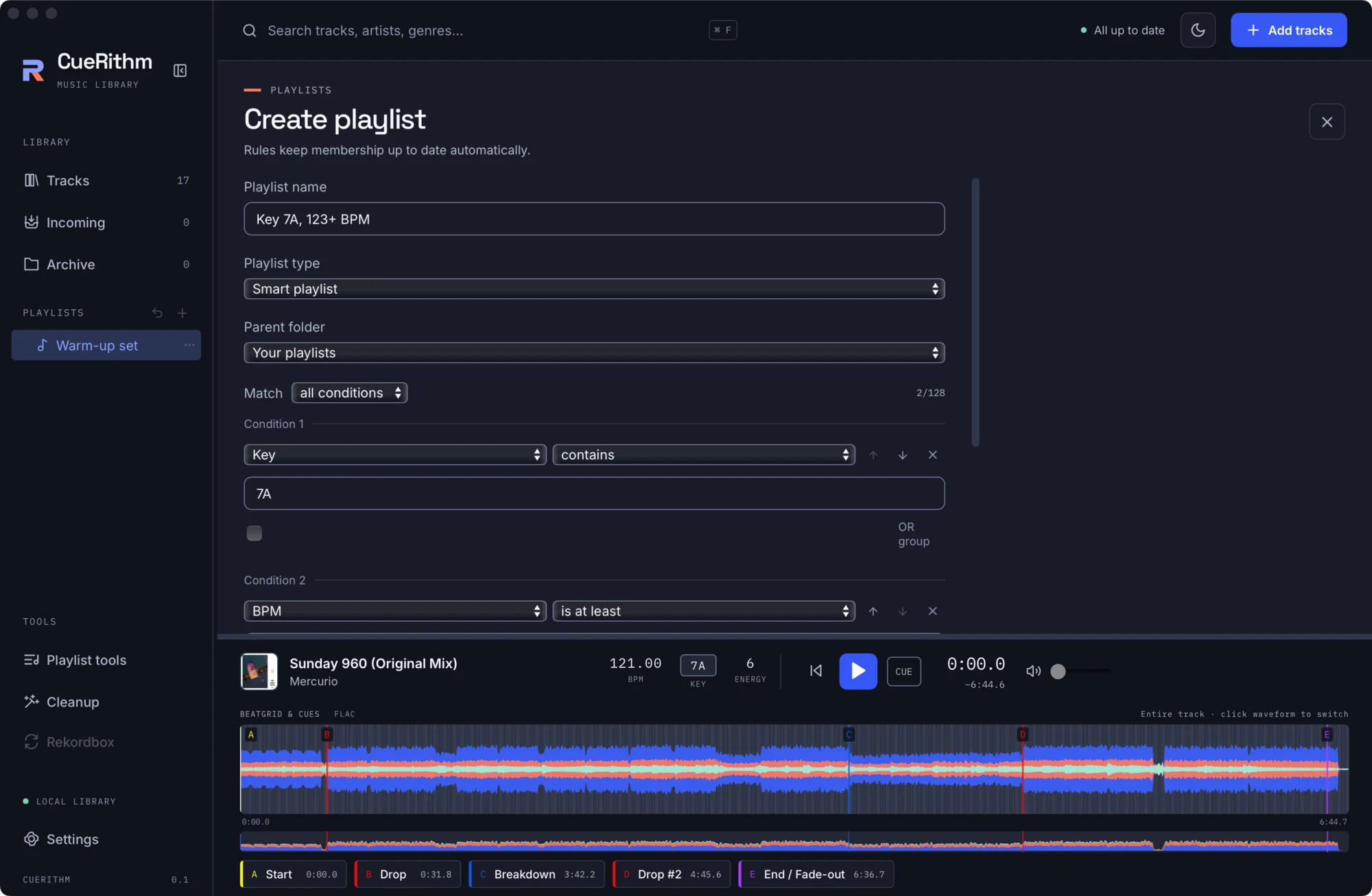
Click + beside PLAYLISTS. Name the playlist, then set Playlist type to Smart playlist. A rule editor appears: Rules keep membership up to date automatically.
2. Add conditions
A smart playlist has up to 128 conditions in one flat list. Each has a field, an operator and a value. Choose Match all conditions or any condition at the top.
For this tutorial:
- Condition 1: field Key, operator contains, value
7A. - Press Add condition. Condition 2: field BPM, operator is at least, value
123.
Use the right field
The field list also exposes raw technical fields (for example audio.sample_rate) next to friendly ones such as BPM, Energy, Key, Genre and Date added. See Smart playlist rules for the full catalogue.
3. Preview, then create
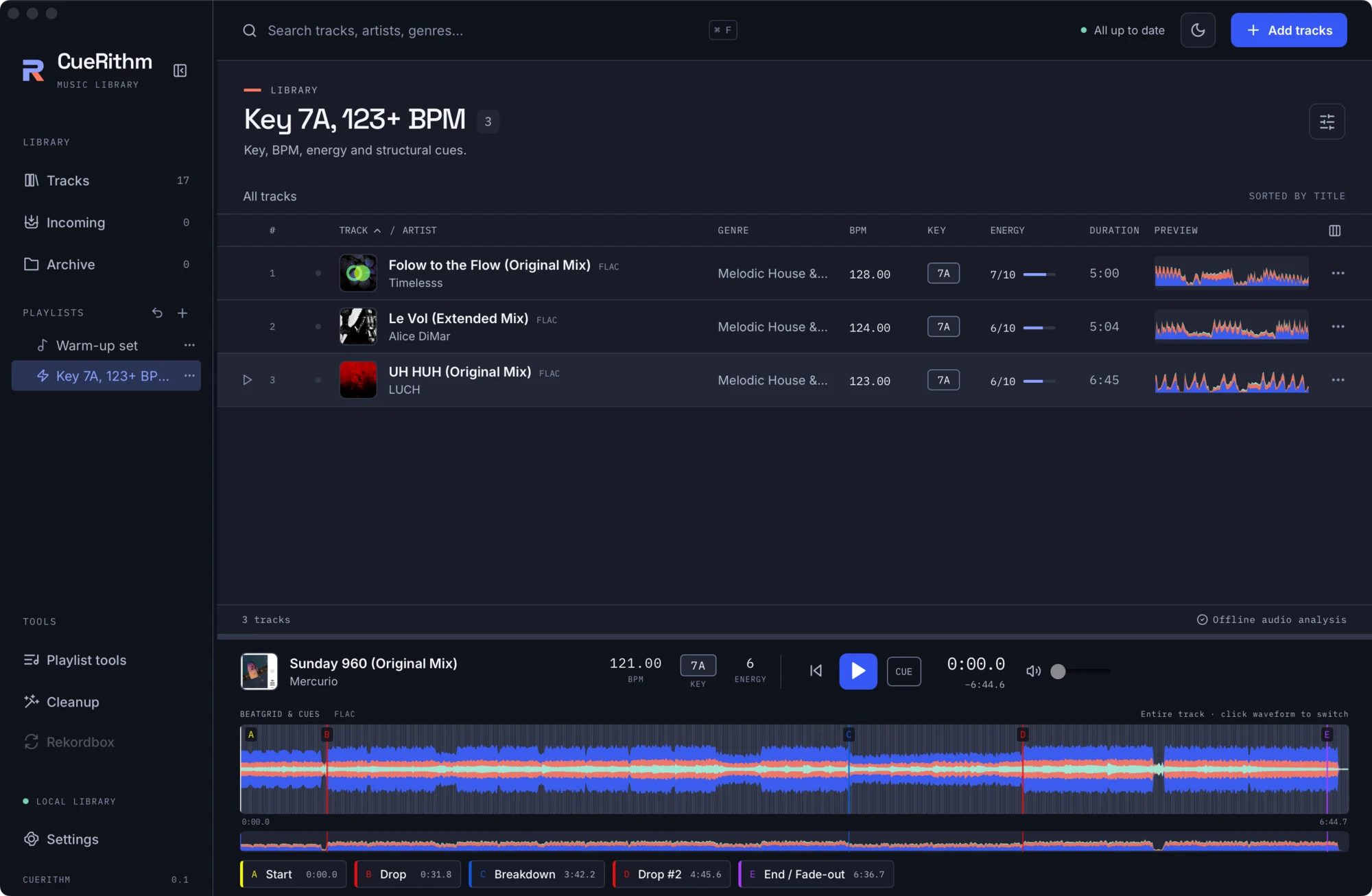
Press Preview matches. CueRithm evaluates the rules and shows the count, for example 3 matching tracks. A smart playlist cannot be saved without a current successful preview. Then press Create.
4. It keeps itself current
When you prepare a new track, change metadata, apply a cleanup or edit another playlist, smart playlists re-evaluate in the background. If an evaluation fails, CueRithm keeps the last good result and shows an error and Showing the last successfully evaluated results.
You cannot add or remove tracks in a smart playlist by hand. To freeze its current contents into an ordinary playlist, use the Save ordinary snapshot tool in Playlist tools.
Ideas
| Goal | Conditions |
|---|---|
| Harmonic neighbours of a track you are playing | Key is compatible with key 7A |
| Peak-time weapons | Energy is at least 8 and BPM is between 124 and 130 |
| Fresh additions | Date added is in the last 14 days |
| Needs a look | Genre has no value |
| Everything with a loop | Cues has a loop |
What just happened
The rules were evaluated against measured analysis (key, BPM, energy come from CueRithm's own analysis, not file tags) and library metadata. Text comparisons are case-insensitive. A missing number compares as zero. Details are in Smart playlist engine.