Tag from Beatport and Traxsource
You will: turn on automatic catalog tagging, choose which fields to write, and understand how CueRithm keeps your files safe while doing it.
Tagging is off by default. Analysis and cue generation work without it, and offline.
1. Open the settings
Go to Settings > Automatic tagging.
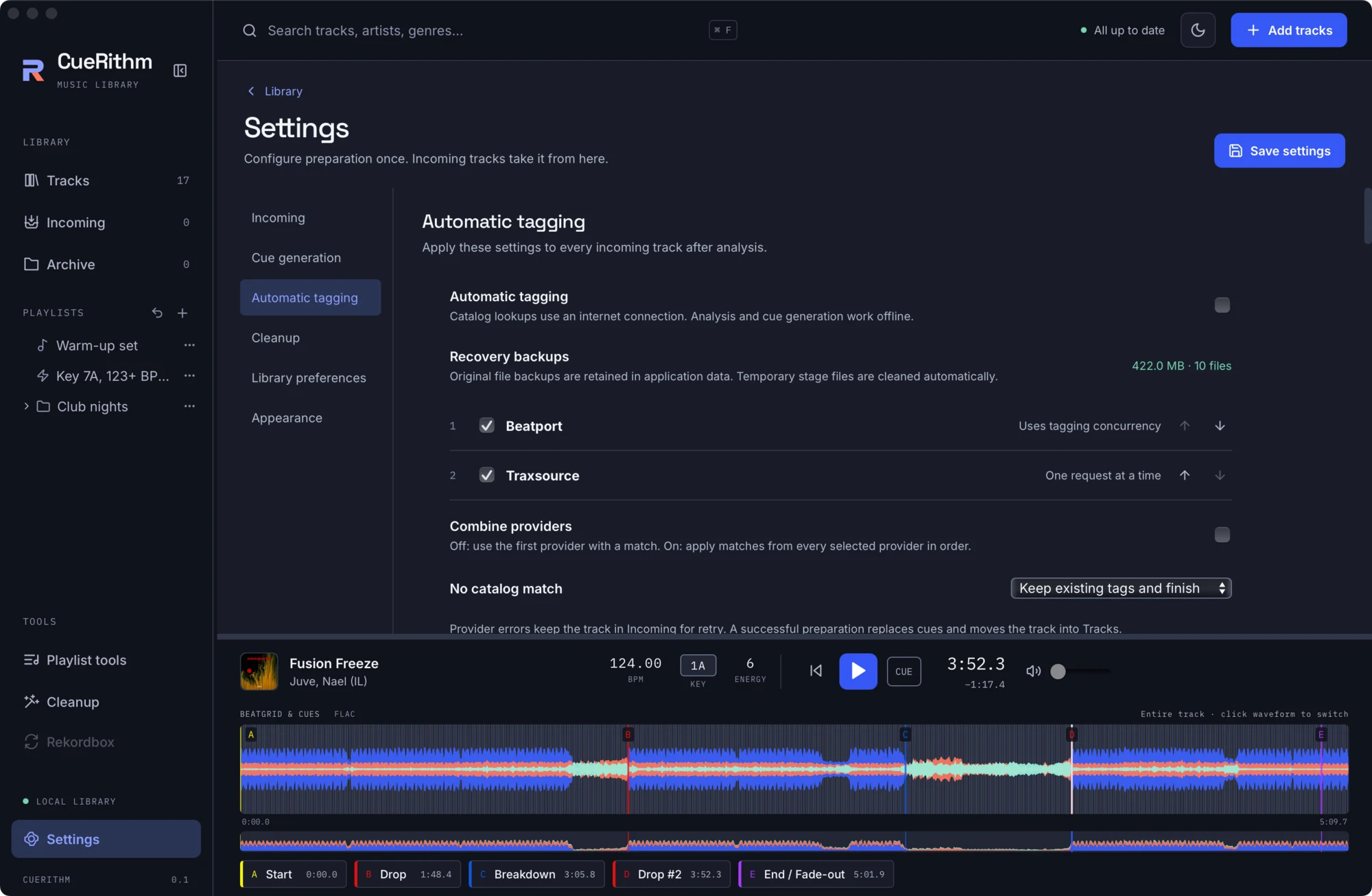
2. Switch it on
Tick Automatic tagging. Note the line beneath: Catalog lookups use an internet connection. Analysis and cue generation work offline.
3. Choose providers
Beatport and Traxsource are listed with checkboxes and up and down arrows. No account or login is needed for either.
- Combine providers off (the default): the first provider that finds a match wins.
- Combine providers on: every selected provider is asked, and their matches apply in order.
4. Decide what happens without a match
No catalog match can be:
- Keep existing tags and finish: the track continues and moves into Tracks (the default).
- Keep in Incoming for attention: the track waits for you.
A provider error, such as being offline, is never treated as "no match". The track stays in Incoming so you can retry.
5. Choose the fields to write
Scroll the page to Fields to write. By default CueRithm writes genre, BPM, style, label and release date. Title, artist, album, key, artwork, ISRC and identifiers are off until you tick them. Measured key and BPM from CueRithm's own analysis are written by default, not the catalog's values, and the library always keeps its own measurements.
6. Run it
New tracks, tracks arriving in a watch folder and Analyze again use your settings. Existing tracks are not retagged just because you changed a setting.
The safeguards
- Tags are written to a staged copy, never straight to your file.
- The staged copy is decoded again and must match the original audio sample for sample. If it does not, the write is refused.
- The original is kept in the recovery backups, and the page shows their size.
- Your file is replaced with one atomic swap. If anything fails afterwards, the original is put back. If you edited the file yourself in the meantime, your edit is preserved.
Traxsource status
Live Traxsource lookups have not been confirmed to work from every network. On the validation machine native Traxsource requests were rejected with HTTP 403. A blocked provider leaves tracks in Incoming with an error rather than silently skipping. Beatport has one successful live probe, not universal coverage.
What just happened
Matching normalises titles and artists, searches the catalog, scores candidates and accepts the best one that clears your strictness setting (0.70 by default). See Catalog matching, Safe tag writing and Automatic tagging settings. The tagging code is adapted from OneTagger.