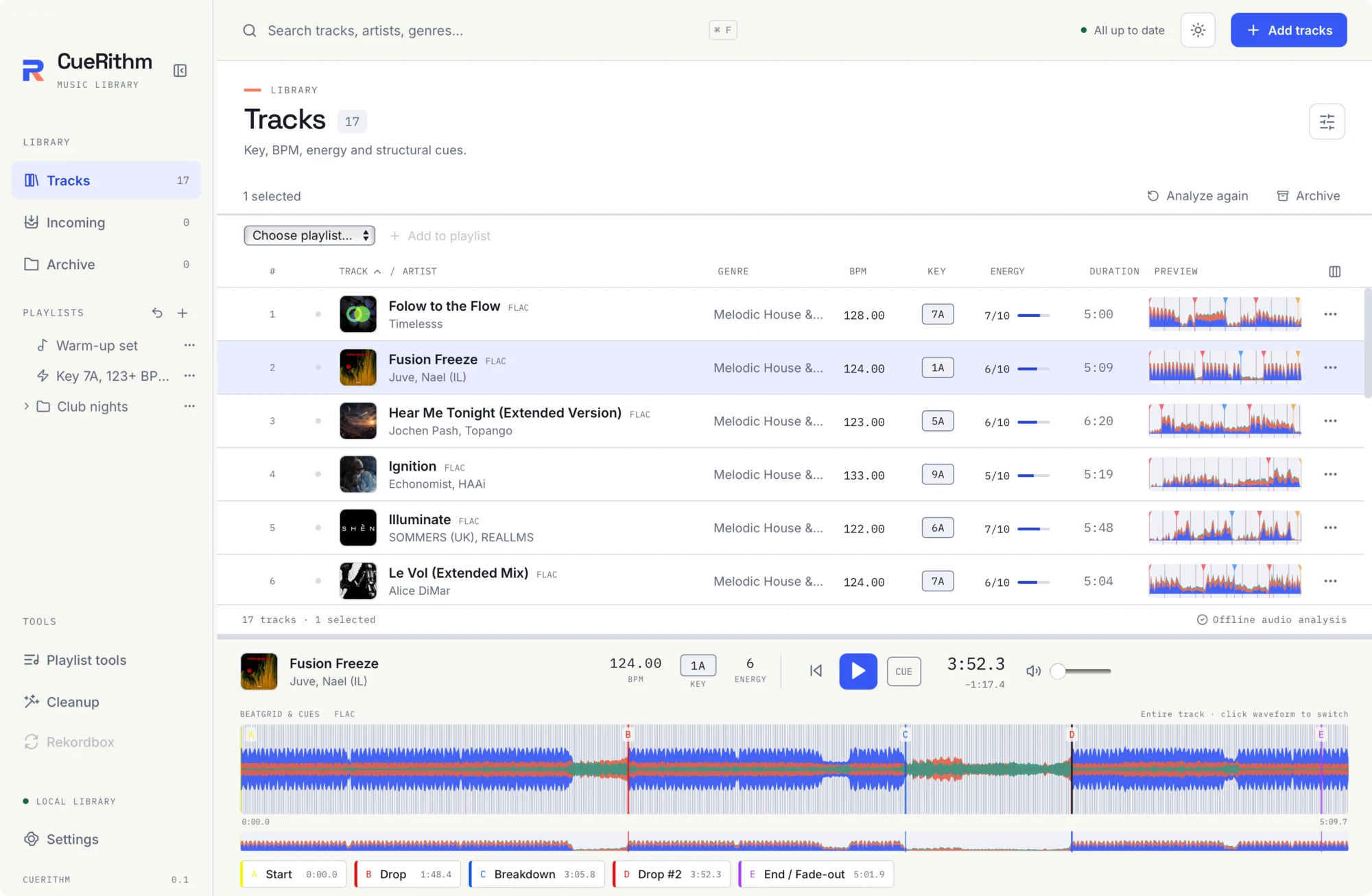
Player, waveform and cues
The player is a panel at the bottom of the window. It is always visible and plays through your system's default audio output.

Header
Artwork (CueRithm's mark if the file has none), title, artist, and the analysis readout: BPM, KEY (a chip) and ENERGY. Before you load anything it says Nothing playing and Double-click a track to load and play.
Transport
| Control | What it does |
|---|---|
| Back to start | Seek to 0:00. |
| Play / Pause | Toggle playback (Space). |
| CUE | Pause and jump to the first cue, or to the start if there is none. |
| Time | Elapsed time m:ss.s and, below it, the remaining time. |
| Volume | Slider from 0 to 1, default 0.65. |
Playback decodes the track into one cached 44.1 kHz stereo copy, so cue positions and the waveform line up exactly with what you hear for every format.
The waveform
The label BEATGRID & CUES (or PREVIEW before analysis) sits above the waveform with the file codec. At right it says either Entire track or 16 seconds, plus "click waveform to switch".
- Entire track shows everything.
- 16 seconds shows a window that follows the playhead, with beat lines clearly spaced.
Click the waveform, or focus it and press Enter or Space, to toggle between them.
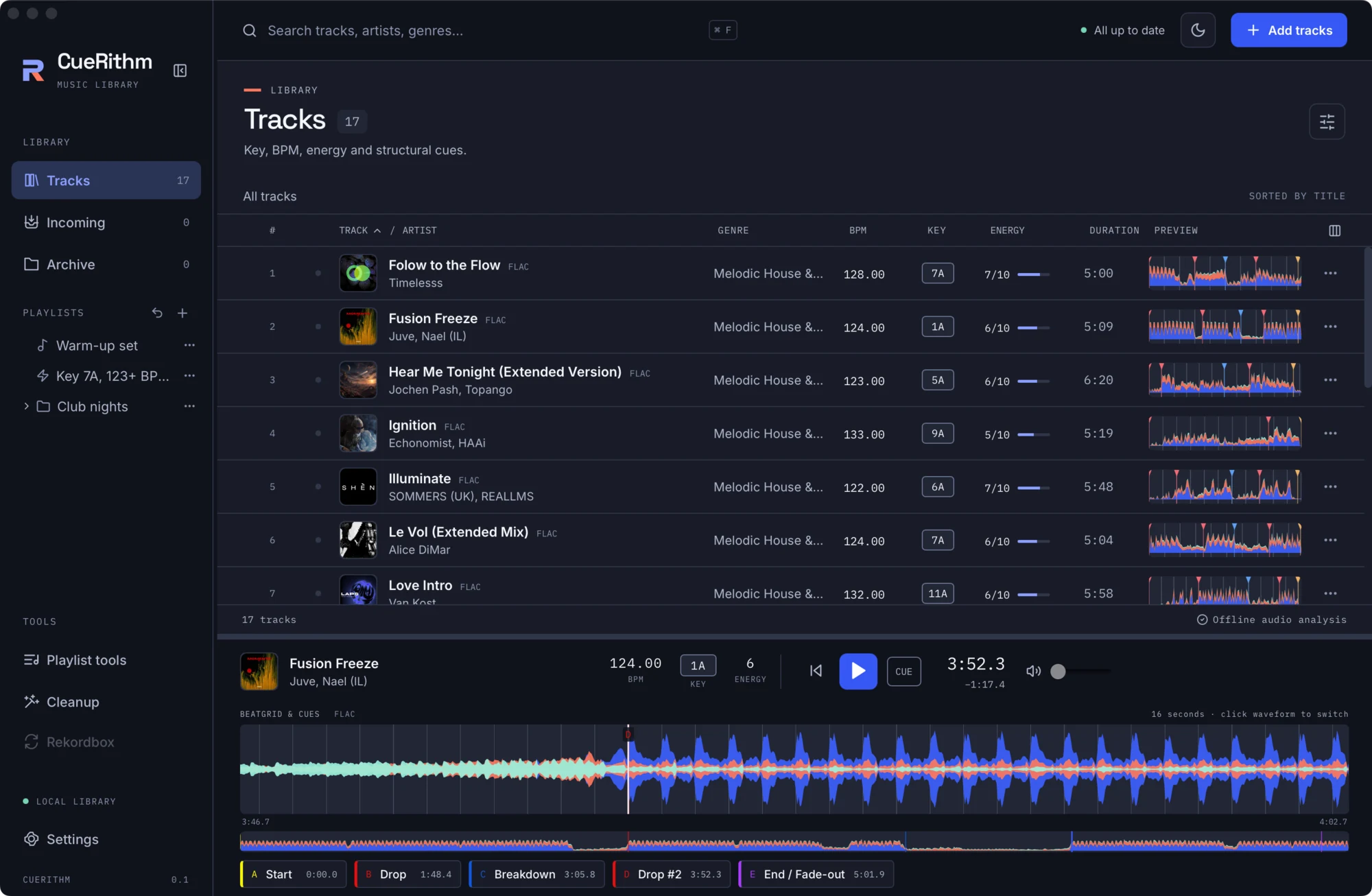
Beat lines come from the saved BPM and first-beat anchor. Cue lines carry a letter. Colours follow the waveform style you chose.
The overview
The thin strip under the waveform is the Track overview. Click it to seek. Left and Right jump one bar (four beats at the saved BPM) when a track with a BPM is loaded.
Cue buttons
One button per cue shows the slot letter, name and time. Click to seek. Cue colours follow the cue's own colour. Names you can see:
| Name | Notes |
|---|---|
| Start | The first beat of the grid. |
| Drop | The main drop. |
| Breakdown | Present when a long enough breakdown exists. |
| Drop #2 | A second drop. |
| Breakdown #2 | A second breakdown. |
| End / Fade-out | The last strong beat before the outro. |
| S.O.S. | An emergency loop. Only when enabled in Settings > Cue generation. |
Until preparation finishes the area says Cues appear here after preparation finishes.
Read-only
You can seek to cues but not move, rename or delete them in this release. There is no cue template editor yet.
The light theme