Playlist tools and generator
Open Playlist tools under TOOLS. Every tool follows the same loop: set it up, Preview changes, then Apply preview. Applying updates everything in the preview as one undoable step. Audio files and analysis are never touched.
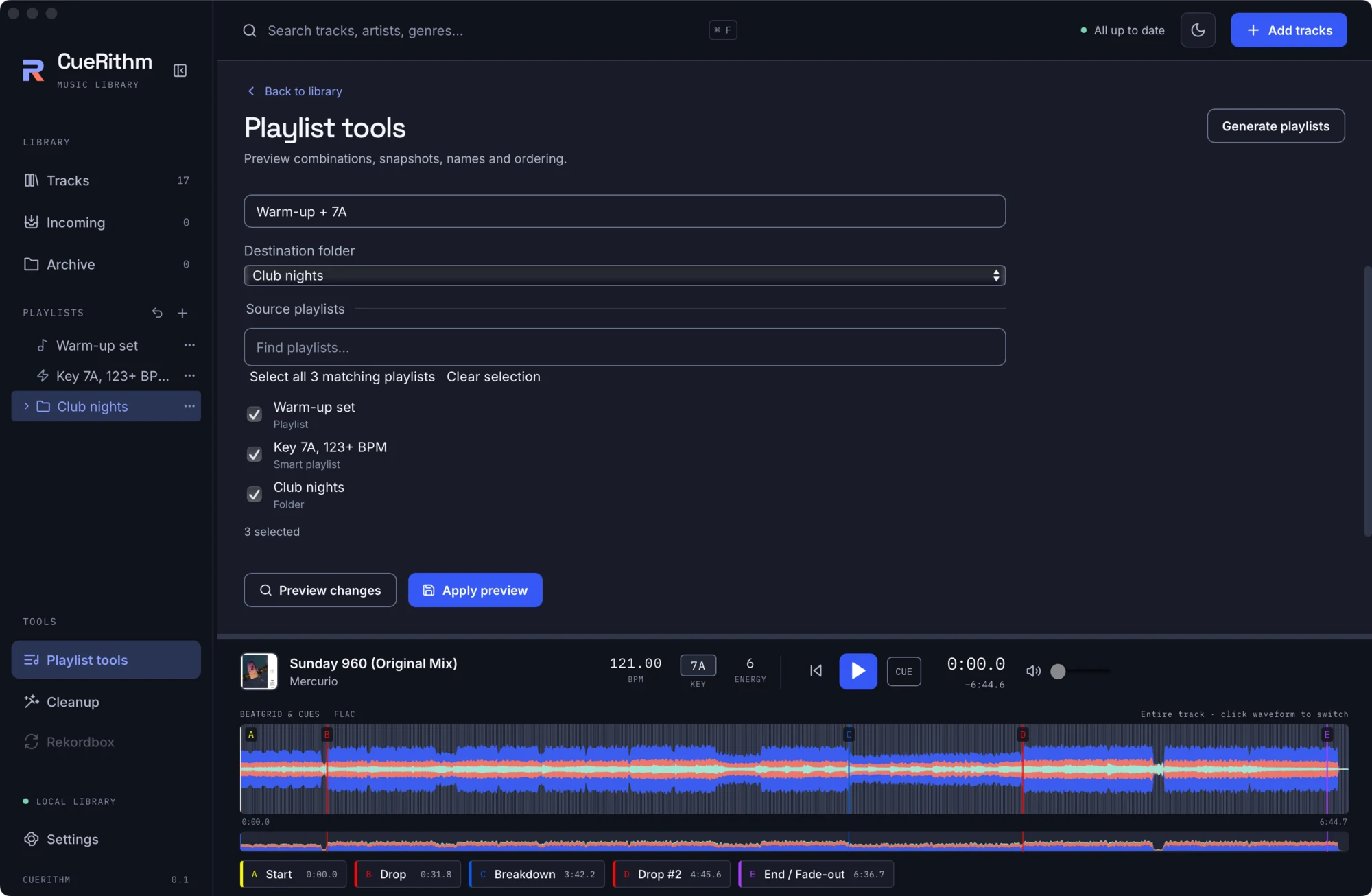
Previews are pinned to the exact playlist state, library data, time zone and file observations they were made against. If anything changed, the preview is rejected and you preview again.
The tools
| Tool | What it does |
|---|---|
| Combine playlists | Builds a new ordinary playlist from several sources. Combination: Tracks in any selected playlist (union), Tracks in every selected playlist (intersection), or Active library tracks absent from all selected playlists. Needs a Result name and Destination folder. Sources are untouched. |
| Save ordinary snapshot | Freezes a playlist, smart playlist or folder into an ordinary playlist. Folders are resolved recursively. |
| Sort playlists | Reorders playlists in a folder: Name A-Z, Name Z-A or Track count, highest first. Choose all siblings or specific ones. |
| Number playlists | Adds a numeric prefix: Starting number, Leading zeroes, optionally Replace existing number prefixes. Follows tree order. |
| Add text prefix | Prepends text (up to 255 characters). |
| Uppercase names | Uppercases playlist names. |
For Combine, the source picker has a Find playlists… box, Select all N matching playlists and Clear selection.
Generate playlists
For categories that also expand when new tracks arrive, use the opt-in Smart Playlist settings.
Generate playlists (top right of the tools page) builds smart playlists automatically from your library's values, ranges and tags.
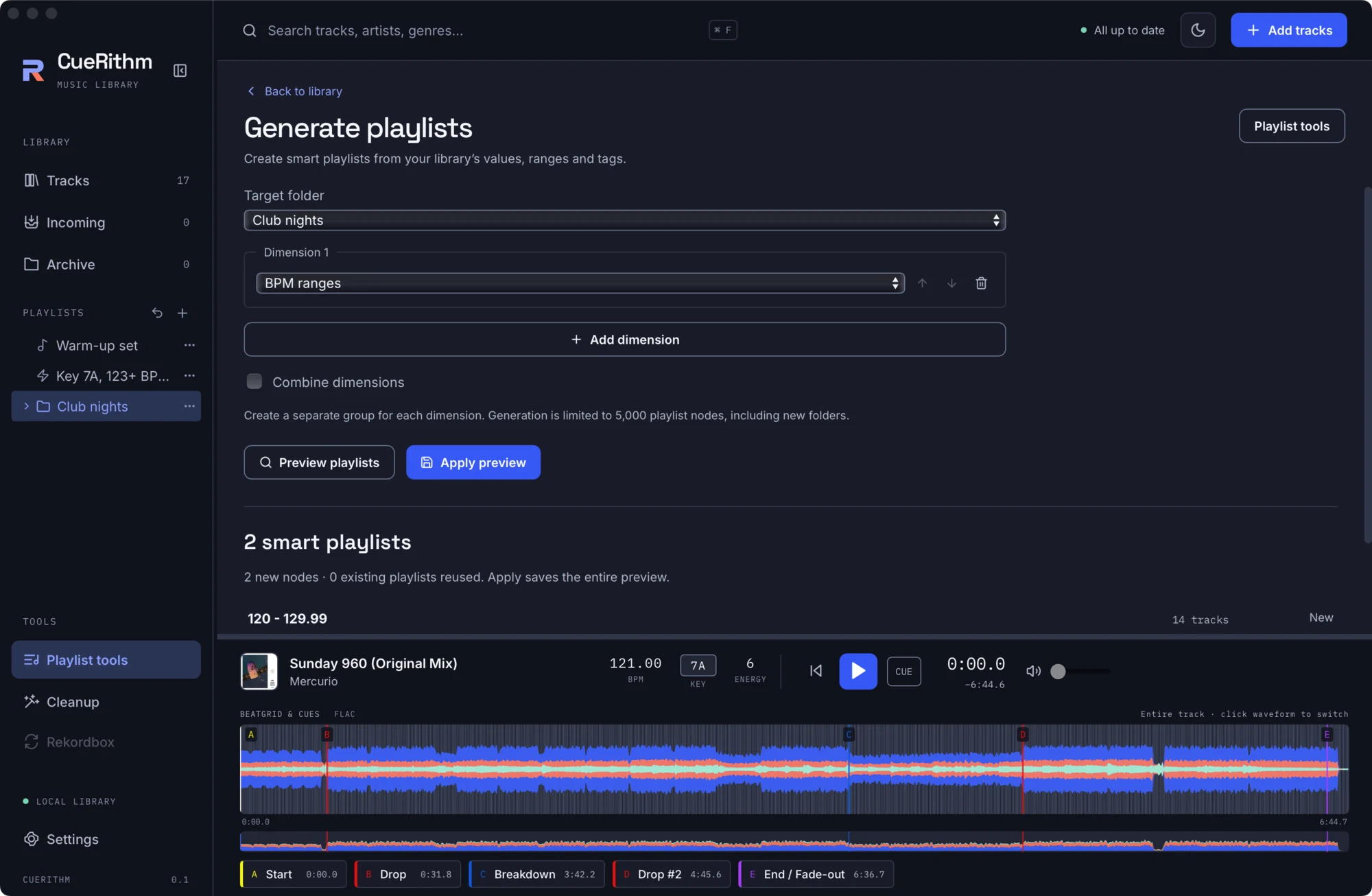
- Choose a Target folder (New folder, with a New folder name and Parent folder, or an existing folder).
- Add up to 16 dimensions. Each is a field (text, number, colour) or one of: Decades, BPM ranges (10-BPM buckets), Bitrate buckets, File size buckets, Duration buckets, Custom tags (Observed tags or Choose tags), or a Category. For Energy and Rating you can include every value even without matches.
- Optionally tick Combine dimensions to build every combination (names joined, rules ANDed). Otherwise each dimension gets its own group.
- Preview playlists. Each item shows its name, its rules under Conditions, its track count and whether it is New or Reuse existing. The summary reads, for example, 2 new nodes · 0 existing playlists reused. Apply saves the entire preview.
- Apply preview.
Generated lists are smart playlists, so they stay current. Existing compatible playlists keep their identities. The limit is 5,000 playlist items, including new folders. BPM bucket upper bounds end in .99 because comparisons use two decimals.