Automatic tagging settings
All of these live on Settings > Automatic tagging and apply to new tracks, watch-folder arrivals and Analyze again. They never retag finished tracks on their own.
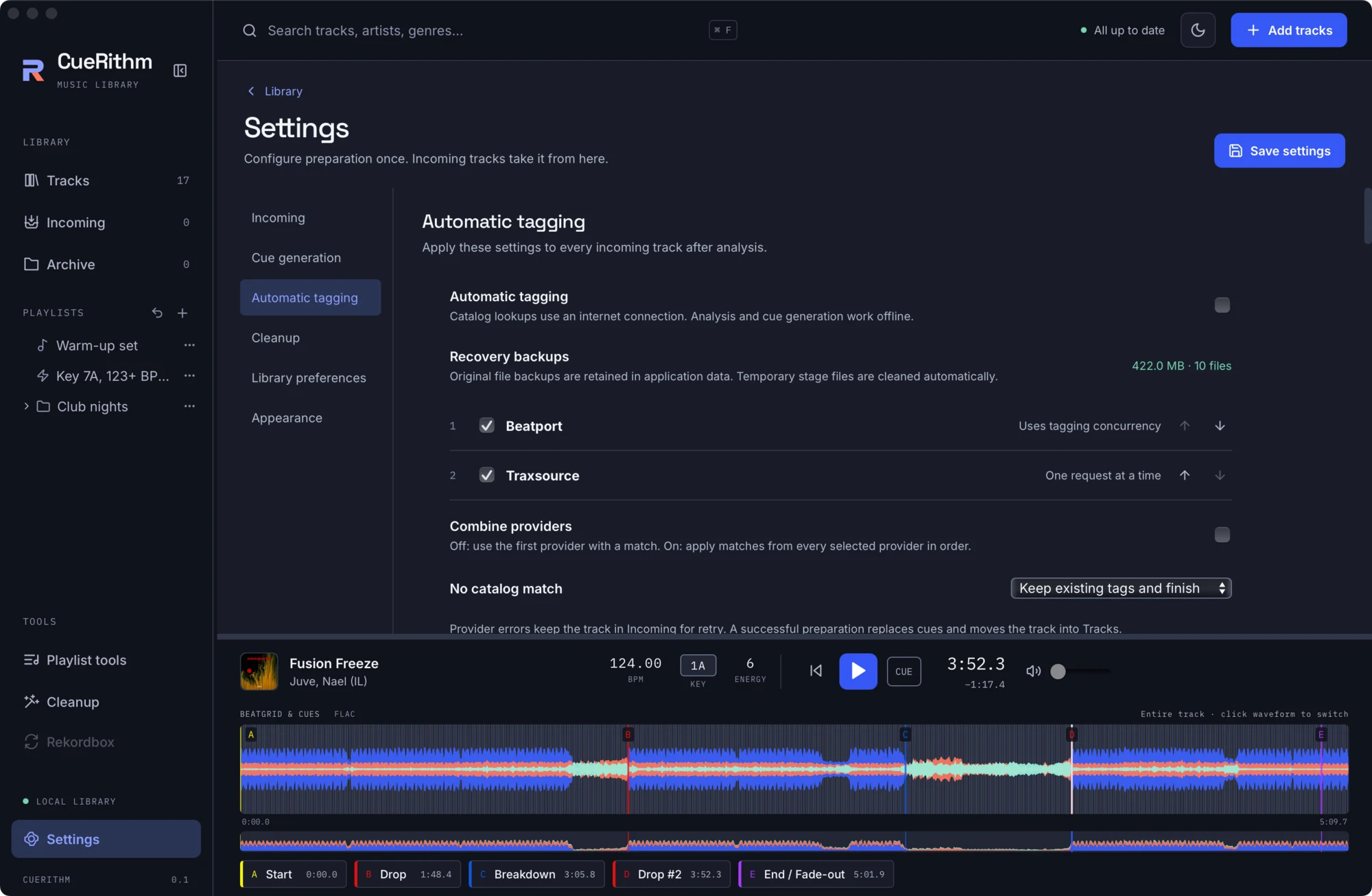
Master switches
| Setting | Default | Meaning |
|---|---|---|
| Automatic tagging | off | Catalog lookups need the internet. Analysis and cues stay offline. |
| Recovery backups | n/a | Read-only. Size and count of retained original files. |
| Providers | Beatport, then Traxsource | Order and selection. One or both. |
| Combine providers | off | Off: first provider with a match wins. On: apply matches from every provider in order. |
| No catalog match | Keep existing tags and finish | Or Keep in Incoming for attention. |
Matching
| Setting | Default | Meaning |
|---|---|---|
| Matching strictness | 0.70 | Minimum title similarity (0 to 1) for an accepted match. |
| Match duration / Maximum duration difference | off / 30 s | Rejects candidates whose length differs from the track by more than the allowance. |
| Match by embedded IDs | off | Beatport only: uses a stored Beatport track ID or an ISRC for an exact match. |
| Read artist and title from filename | off | When tags are missing. Template default %artists% - %title%. |
| Title cleanup pattern | empty | A regular expression removed from the title before matching. |
| Skip already tagged | off | Skips the catalog lookup for files carrying a CueRithm or legacy OneTagger tagging marker. Analysis and cues still run. |
| Album matching | off | When enough Incoming files in one folder match the same Beatport release (ratio default 0.5), use that release's track list for the rest. |
| Tagging concurrency | 16 | Beatport lookups in parallel (1 to 64). Traxsource always runs one at a time. |
| Ordering | Best match | Or oldest or newest release. |
| Beatport: Max pages | 1 | 1 to 10 pages of 50 results. |
| Beatport: Ignore version when matching | off | Ignores "(Extended Mix)" and similar during matching. |
Fields to write
Each field has Write and Overwrite checkboxes, and there is a global Overwrite all selected fields (on by default; it forces every overwrite box on). Unselected fields are never touched.
On by default: genre, BPM, style, label, release date. Off by default: title, artist, album, key, artwork, ISRC, identifiers and the tagging marker.
Fields the providers can supply include title, version, artist, album artist, album, BPM, genre, style, label, URL, release and publish date, key, album art, remixer, catalogue number, track number and total, ISRC, duration and provider IDs. Each field shows which providers can fill it.
How measured values are written
| Setting | Default | Meaning |
|---|---|---|
| Key and BPM written to files | CueRithm analysis | Or catalog metadata. The library always keeps its own measurements. |
| Write Camelot keys | off | Writes 8A-style keys instead of musical names. |
| Write track energy to files | on | One number from 1 to 10 in a custom ENERGY field. |
| Write short titles | off | Omit the mix or version from the title field. |
| Write year only | off | Dates as the year only. |
| Track number padding | 0 | Minimum digits, up to 8. |
Genre and style routing
Eight modes, default Genres and styles separately: genres only, styles only, merge both into genres, merge both into styles, styles into genres, genres into styles, or styles into a custom field (default name STYLE). Also Merge with existing genres (off) and Capitalize genres (off).
Artwork
Off unless Album art is ticked. Artwork destination is Embed in audio file (default) or External cover file (a cover.jpg-style file beside the audio, with a template you can edit). Replace all embedded covers removes every picture type first. Beatport Album art resolution is 200 to 1600 pixels, default 500. Images must be PNG, JPEG, GIF or WebP, decode within 4096 by 4096 pixels and be under 8 MiB.
File tag format
ID3 version (v2.4 by default, v2.3 optional), an optional ID3 comment language, and value separators for ID3 (default ,), Vorbis (empty means separate native values) and MP4 (default ,).
Attribution
The page ends with: Tagging uses OneTagger source under GPLv3. CueRithm desktop is GPLv3; the separate analysis engine remains MIT.