Navigate a track with cues
You will: load a track, read the beatgrid and jump between its structural cues.
1. Load a track
Select a row, then press the play button on the row, or double-click the row. The track decodes and appears in the player. Playback uses your system's default audio output.
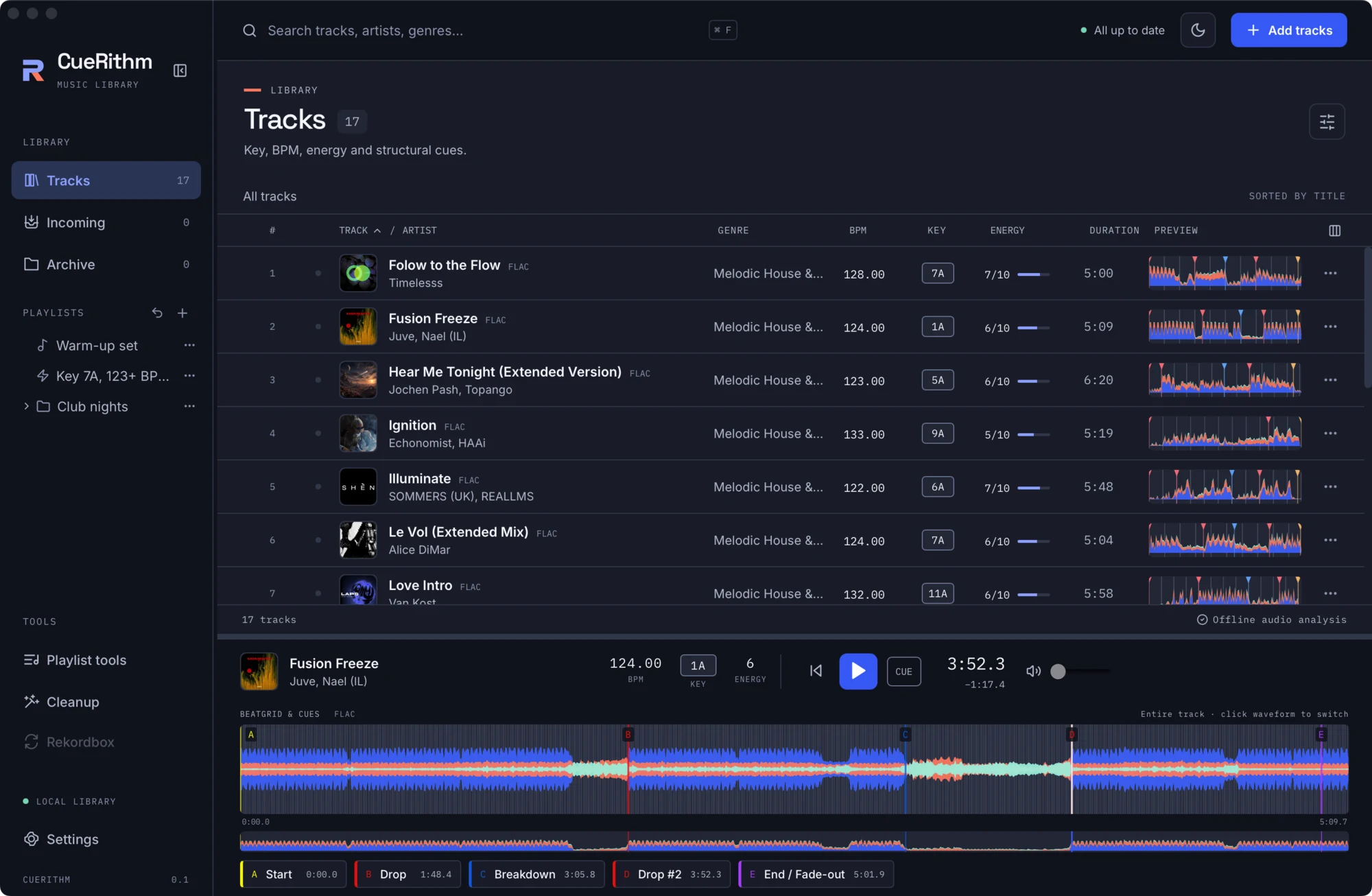
2. Read the waveform
The colour waveform has three layers: bass, mids and highs. In the Layers style shown here, bass is cobalt, mids are coral and highs are ice-mint. You can change the palette in Settings > Appearance. Thin vertical lines are beats. Cue markers are labelled with a letter.
Below the waveform is a small overview of the whole track. Click it to seek.
3. Jump to a cue
Each cue has a button with its letter, name and time.

A typical set looks like this:
| Cue | Meaning |
|---|---|
| A · Start | The first beat of the grid. |
| B · Drop | The main drop. |
| C · Breakdown | A breakdown, when the track has one that is long enough. |
| D · Drop #2 | The second drop. |
| Breakdown #2 | A second breakdown, when present. |
| E · End / Fade-out | The last strong beat before the outro. |
Not every track gets every cue. A track with no clear breakdown simply has fewer cues. The CUE button in the transport jumps to the first cue and pauses.
4. Zoom to the beats
Click the waveform to switch to a 16-second view that follows the playhead. Beat lines become clearly visible, so you can check that the grid sits on the kicks.
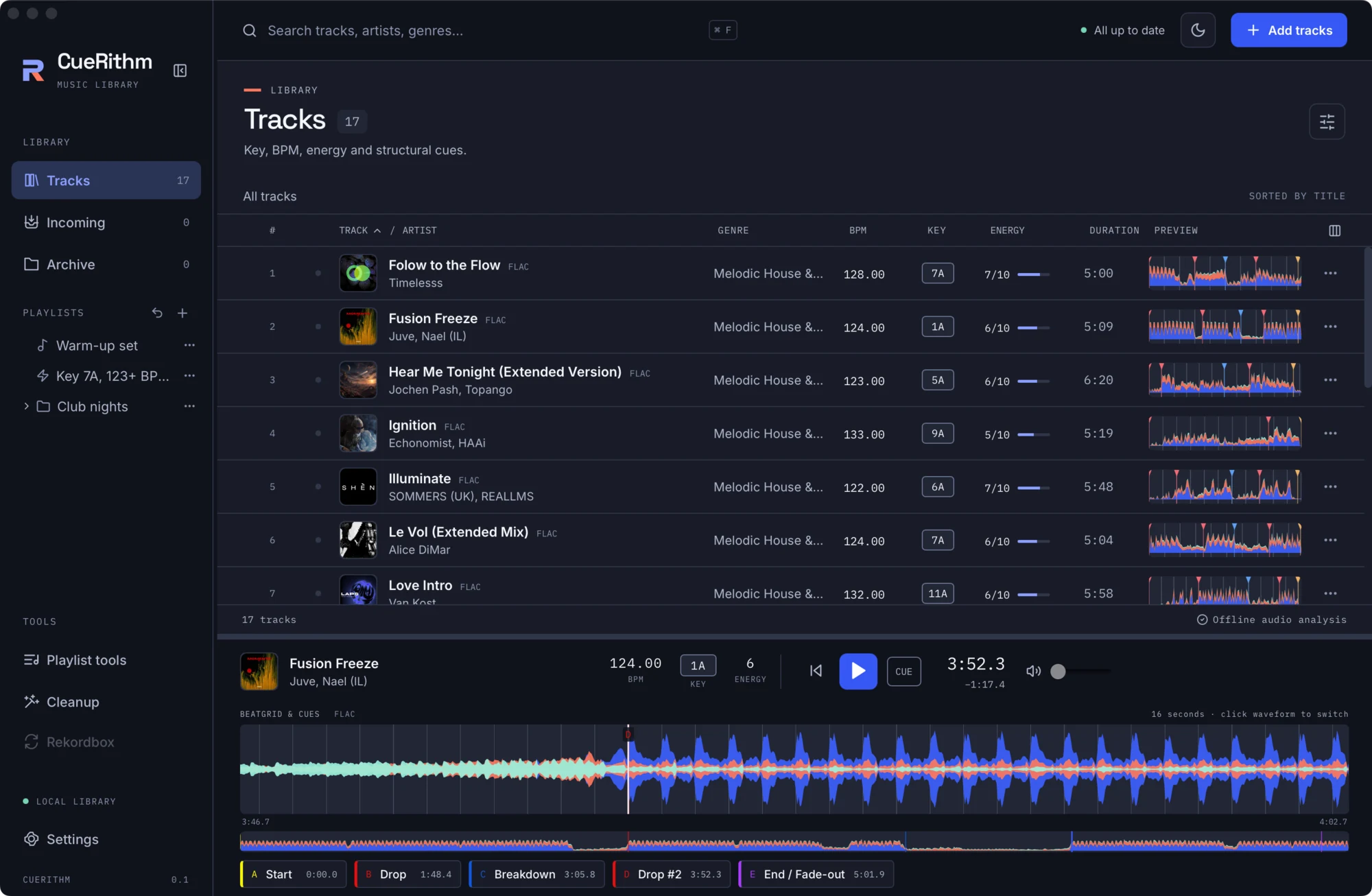
Use Left and Right to jump a bar (four beats) at a time, and Space to play or pause.
What just happened
The cue buttons and markers are drawn from the cues saved at preparation time. The beat lines come from the saved BPM and first-beat anchor. Cues are read-only in this release: you can seek to them, but not edit them. The detection logic is described in The cue engine.