

Know your music. Shape your set.
CueRithm is a desktop library app for DJs. Drop in your tracks and it listens to every one of them, offline: musical key, BPM and beatgrid, a single energy rating, structural cues and a colour waveform. It then helps you tag, clean and organise the library, with playlists and smart playlists that update themselves.
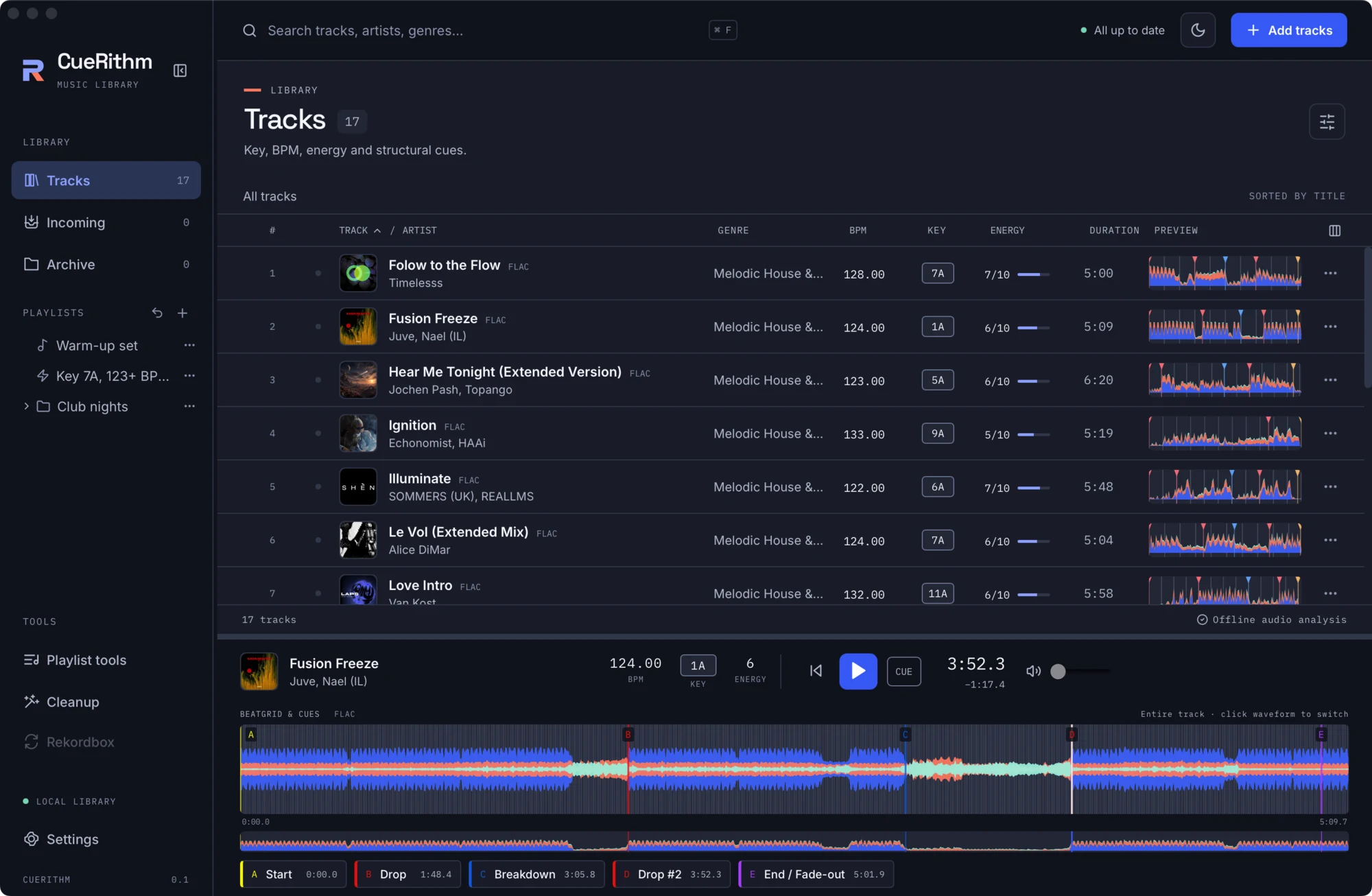
What CueRithm does
-
Listens to your music
Key, BPM, one whole-track energy rating from 1 to 10, and five or six structural cues per track. Everything is computed on your computer from the decoded audio. No uploads, no accounts.
-
Prepares tracks automatically
Watch a folder, drop files on the window or use Add tracks. Every track passes through Incoming: decode, analyse, optionally tag and clean up, then it moves into your library. Your files stay where they are.
-
Tags and cleans
Optional catalog tagging from Beatport and Traxsource, and a review-then-apply cleanup workspace with Undo, so messy titles, genres and artists never need hand editing.
-
Playlists that keep up
Ordinary playlists, folders and smart playlists with rules over BPM, key, energy, genre, dates, cues and more. Smart playlists re-evaluate in the background.
Honest by design
- Offline analysis. Analysis and cue generation never touch the network. Only the optional catalog tagging does.
- Your files are safe. CueRithm never moves your audio. When it writes tags it stages a copy, proves the playable audio is unchanged, keeps the original, and swaps atomically.
- Clear about what is missing. Direct rekordbox sync and the duplicate and file-maintenance screens are not available in this release. See Not available yet.
- Open source and credited. CueRithm builds on OneTagger, FFmpeg, TagLib and many others. It was inspired by Mixed In Key and Lexicon DJ, studied through reverse engineering, and written independently in Rust. Read how CueRithm was made.
Status: version 0.1
CueRithm is early software. macOS builds for Apple Silicon are signed with a Developer ID and notarized by Apple. Windows and Linux builds are unsigned. There is no Intel Mac build.
Where to go next
| If you want to... | Read |
|---|---|
| Install and open the app | Install |
| Understand the window | The main window |
| Follow a hands-on tutorial | Learn |
| Look up a control or setting | Guides |
| Know exactly how a number is computed | Under the hood |
| See licences, credits and provenance | About |